
Irrigation and landscape contractors juggle dozens of tasks every single day, and drafting accurate plans shouldn’t be the bottleneck that slows everything down. Many professionals are turning to procontractor software to streamline their design process, reduce costly errors, and present polished plans that win client trust. This shift isn’t just about convenience; it’s about reclaiming hours that used to disappear into manual drafting and recalculations.
Below, we answer the most common questions contractors ask about building a smoother design workflow, from importing plot plans to producing client-ready drawings.
How does procontractor software speed up the drafting process?
Instead of starting from a blank page, contractors can import existing plot plans in common formats and begin laying out their design immediately. This eliminates the painstaking work of redrawing site boundaries by hand. Equipment placement tools let designers drop in sprinkler heads, valves, and fixtures quickly, while drafting tools designed specifically for outdoor design keep plans readable both on-screen and on paper. The result is a design process that moves from concept to finished layout in a fraction of the time traditional hand-drafting requires.
Can I import plot plans directly into the software?
Yes. Modern design platforms allow contractors to drop in site plans, aerial images, or standard CAD file formats and start working right away. This removes one of the most frustrating parts of the job: manually tracing property lines and structures before any real design work can begin. Once the base plan is loaded, placing equipment, labeling zones, and adding notes becomes a straightforward process that keeps the entire job moving forward without unnecessary delays.
Why does hydraulic calculation accuracy matter so much?
Hydraulic calculations determine whether a system will actually perform once it’s installed. Without reliable calculations built into the design process, contractors risk discovering low-pressure zones or coverage gaps only after installation, when fixing the problem costs far more in time and materials. Running hydraulic checks during the design phase catches these issues early, giving contractors confidence that what they’ve drawn will function correctly in the field. This step separates a plan that merely looks good from one that actually works.
What role does pipe sizing play in a professional design?
Proper pipe sizing affects water pressure, flow rate, and the overall longevity of an irrigation system. Automatic pipe sizing tools calculate the correct diameter for laterals and mainlines based on the specific layout, then allow adjustments by pipe type, velocity, and pressure when a job calls for fine-tuning. This takes the guesswork out of a task that used to require manual reference charts and time-consuming recalculations every time a layout changed. Getting pipe sizing right the first time also reduces the chance of expensive rework after installation begins.
How do these tools help produce client-ready drawings?
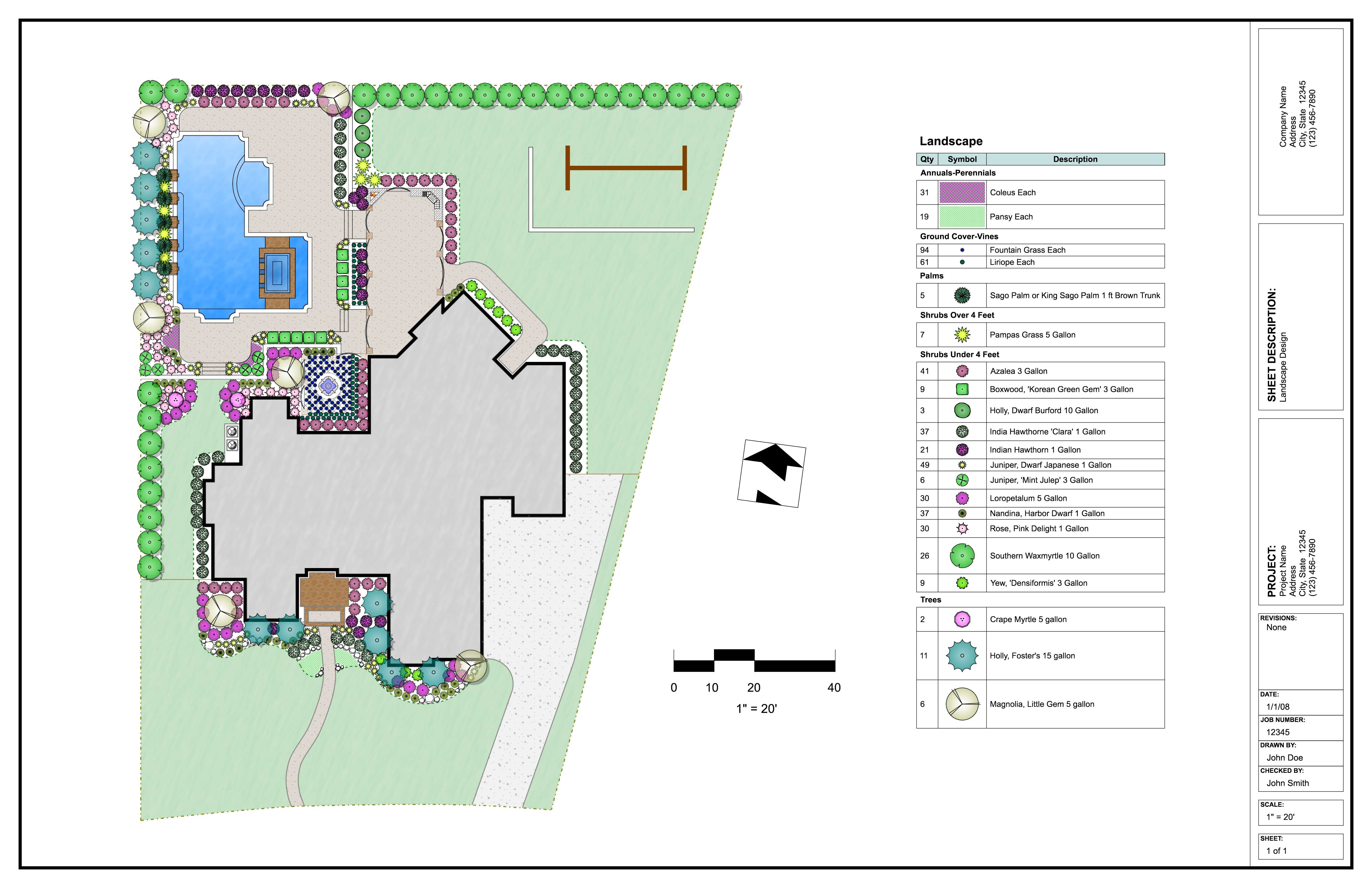
Clients want to see exactly what they’re paying for, and a cluttered or confusing drawing undermines trust before a project even starts. Design software built for this purpose generates clean, labeled plans complete with plant symbols, equipment legends, and quantity takeoffs. These drawings communicate scope clearly, which helps contractors win bids and sets proper expectations before installation begins. Detailed reporting tools also let contractors customize output with their own branding, reinforcing a professional image at every client touchpoint.
Does this type of software work for landscape design too, or just irrigation?
Many platforms cover the full scope of outdoor design work, including irrigation, landscape, lighting, and drainage planning within a single program. This means contractors don’t need to switch between separate tools for different parts of a job. Plant symbols, bed layouts, hatching, and area takeoffs support the landscape side, while hydraulics and pipe sizing handle irrigation performance. Having everything in one place keeps the workflow consistent and reduces the learning curve for teams handling multiple service types.
What’s the daily productivity payoff for contractors who switch?
Contractors who adopt a dedicated design workflow typically notice fewer revisions, faster turnaround on bids, and more confidence walking into client meetings. Catching hydraulic or sizing issues before installation reduces costly callbacks, and clean documentation means crews spend less time asking questions on-site. Over the course of a season, these efficiencies add up to meaningful time savings that let contractors take on more projects without sacrificing design quality.
Building a reliable design workflow starts with choosing tools that match how irrigation and landscape contractors actually work in the field. Taking time to map out drafting, hydraulics, and reporting needs before committing to a platform pays off in smoother daily operations and stronger client relationships for years to come.
